
Download iCloudownloader Photos Videos – Secure Windows Backup & Cloud Storage Tool
Overview of iCloudownloader Photos Videos
iCloudownloader Photos Videos is a dedicated Windows utility crafted by varapps to simplify the process of extracting and archiving your iCloud media library. Positioned in the “Backup & Cloud Storage” category, the program targets users who store photos and videos on Apple’s iCloud service but need a reliable, offline copy on a Windows PC. Launched on Softonic on February 28th, 2022, the full‑version app is currently at version 1.0 and operates exclusively in English.
The software requires Windows 10 or later, making it compatible with most modern PCs. Its primary mission is to provide a secure, one‑click solution for downloading entire iCloud albums, individual files, or selected media groups without the need for iTunes or third‑party cloud managers. By focusing on a streamlined interface and direct API communication with iCloud, iCloudownloader reduces the risk of corrupted downloads, saves bandwidth through selective sync, and ensures that personal memories remain under your control.
Whether you’re a photographer safeguarding high‑resolution images, a casual user wanting to free up iCloud storage, or an IT professional managing multiple accounts, this tool promises a straightforward, fast, and free‑of‑charge experience (aside from the optional premium upgrade for advanced features). The app also respects Apple’s security protocols, requiring your iCloud credentials to establish an encrypted session before any data transfer begins. In short, iCloudownloader Photos Videos fills a niche that many Windows users have long needed: a native, trustworthy bridge between Apple’s cloud ecosystem and Microsoft‑based environments.
Key Features, Benefits, Pros and Cons
Feature List
- One‑click bulk download of all photos and videos from iCloud.
- Selective sync – choose specific albums, date ranges, or file types.
- Preserves original metadata, including EXIF, timestamps, and location data.
- Supports high‑resolution image formats (HEIC, PNG, JPEG) and 4K video files.
- Automatic folder organization by date, album, or media type.
- Secure authentication via Apple’s two‑factor verification.
- Resume‑capable transfers – interrupted downloads can be continued without loss.
- Lightweight installer (< 15 MB) and minimal system resource consumption.
- Built‑in integrity check to verify file completeness after download.
- Free full‑version with optional paid add‑ons for multi‑account management.
Pros
- Ease of Use: Intuitive UI lets even non‑technical users start a download in seconds.
- Speed: Parallel download threads maximize bandwidth utilization, reducing total transfer time.
- Security: Credentials are never stored locally; all communication is encrypted.
- Compatibility: Runs on Windows 10, 11, and later editions without additional runtimes.
- Reliability: Built‑in resume and checksum verification prevent corrupted files.
Cons
- Only available in English, limiting accessibility for non‑English speakers.
- No native macOS or mobile (iOS/Android) version – Windows‑only focus.
- Advanced multi‑account management requires a paid add‑on.
- Lacks built‑in cloud sync after download; users must use third‑party backup tools for ongoing protection.
- Initial setup requires iCloud two‑factor authentication, which may be confusing for first‑time users.
Installation, Setup, and Compatibility Guide
Step‑by‑Step Installation
1. Download the installer: Visit the official varapps page or Softonic listing and click the “Download” button. The file is named iCloudDownloader_Setup.exe and is typically under 15 MB.
2.
Run the installer: Double‑click the .exe file. Windows will prompt for administrative permission; click “Yes” to allow the installer to make changes.
3. Accept the license agreement: Read the EULA, then select “I Agree” to continue.
4.
Choose installation folder: The default path is C:\Program Files\iCloudDownloader. You may change it if desired.
5. Complete installation: Click “Install” and wait for the progress bar.
Once finished, launch the application from the Start menu or desktop shortcut.
First‑Time Configuration
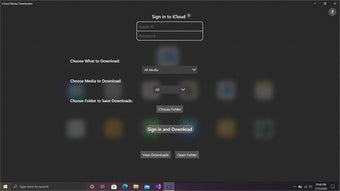
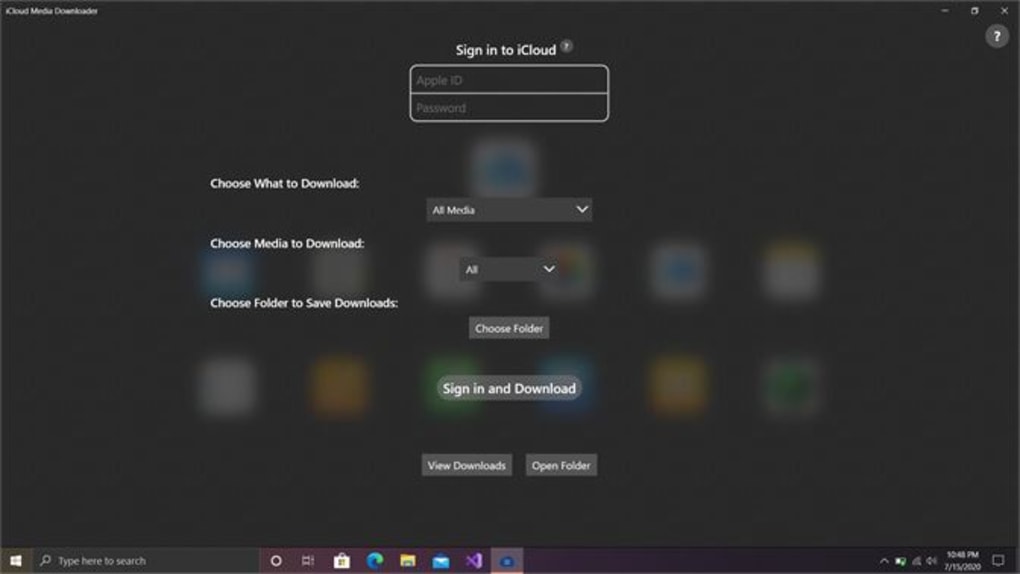
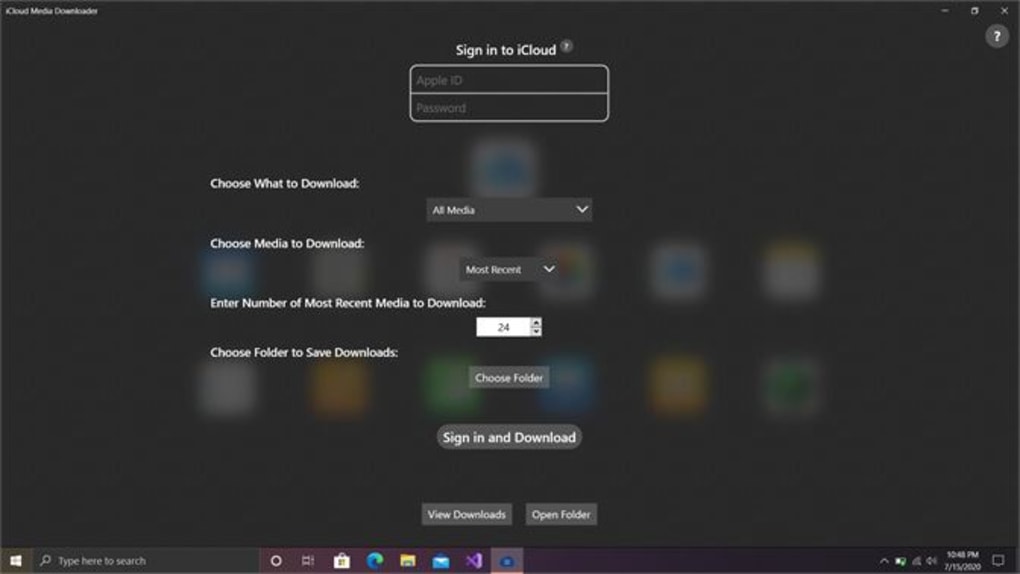
Upon launching, the program presents a clean login screen. Enter your Apple ID and password. If two‑factor authentication (2FA) is enabled (highly recommended by Apple), a verification code will be sent to your trusted Apple device. Input the code into the prompt; the session is then securely established. After authentication, you’ll see a dashboard displaying total media count, storage usage, and recent albums.
Downloading Your Media
From the dashboard, click “Select Albums” to view a list of all iCloud folders. Use checkboxes to pick whole albums or click “Advanced Filter” to narrow by date range, file type (photo or video), or resolution. Once selections are made, press “Download”.
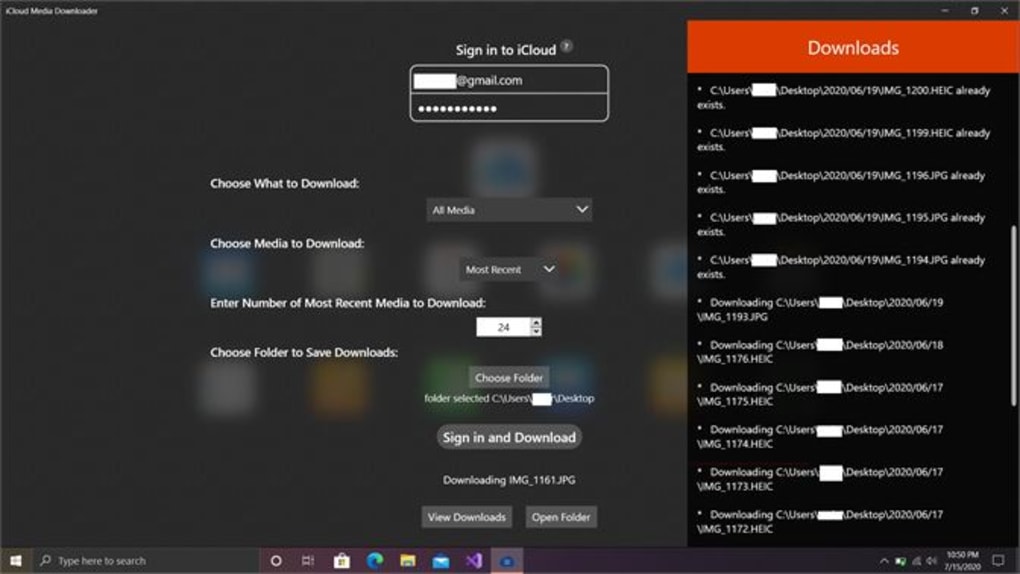
A folder‑selection dialog appears; choose a destination path (e.g., D:\iCloud_Backup). The program then initiates parallel downloads, showing real‑time progress bars, speed metrics, and estimated time of completion. If the download is interrupted (network drop, power loss), relaunch the app and click “Resume” to continue from the last successful chunk.
System Requirements & Compatibility
iCloudownloader Photos Videos is designed for Windows 10 (1809 build or newer) and Windows 11. The software runs on both 64‑bit and 32‑bit architectures, though 64‑bit is recommended for optimal performance. Minimum hardware specifications include a 1 GHz processor, 2 GB RAM, and 100 MB of free disk space for the application itself (additional space required for downloaded media). No additional runtimes such as .NET Framework or Visual C++ redistributables are needed, as the installer bundles all required libraries. The tool is fully compatible with Windows Defender and other major antivirus solutions; it uses standard Windows APIs and does not require elevated privileges beyond the initial installation.
Updating the Application
The program checks for updates at each launch. If a newer version is available, a prompt appears offering to download and install automatically. Updates are incremental, preserving your configuration and previously downloaded media. For manual updates, visit the official download page and repeat the installer process; the installer will detect the existing installation and perform an in‑place upgrade.
Frequently Asked Questions
Is iCloudownloader Photos Videos free to use?
The core application is free and includes all essential download features. Optional premium add‑ons, such as multi‑account management or priority support, are available for purchase.
Can I download only selected photos instead of the entire library?
Yes. The “Advanced Filter” option lets you choose specific albums, date ranges, file types, or even individual files before starting the download.
Does the software store my Apple ID credentials?
No. Credentials are used only for the duration of the session and are never written to disk. All communication with iCloud is encrypted via HTTPS.
What happens if my download is interrupted?
The application supports resume capability. When you reopen iCloudownloader, it will detect partially downloaded files and continue from where it left off, avoiding duplicate data transfer.
Is iCloudownloader compatible with Windows 11?
Absolutely. The software runs on Windows 10 (1809+) and Windows 11 with full functionality and no known compatibility issues.
Can I schedule automatic backups?
The free version does not include scheduling. However, you can use Windows Task Scheduler to launch the application with command‑line arguments for periodic runs.
Conclusion & Call to Action
iCloudownloader Photos Videos fills a clear gap for Windows users who rely on Apple’s iCloud for media storage but need a dependable way to bring those files onto a PC. Its clean interface, secure authentication, and robust download engine make it a practical choice for both casual and professional users. While the lack of multilingual support and the absence of a native macOS version may limit its audience, the strengths—speed, integrity verification, and zero‑cost core functionality—far outweigh the drawbacks for anyone looking to safeguard photos and videos locally. If you’ve been searching for a hassle‑free method to back up your iCloud library without juggling iTunes or third‑party cloud sync tools, iCloudownloader provides a focused, secure solution.
Ready to protect your memories? Download iCloudownloader Photos Videos now and start transferring your iCloud media to Windows instantly. Experience the convenience of a dedicated Windows downloader, enjoy the peace of mind that comes with local backups, and keep your digital life organized—all with a single click.
Overall Rating: 4 out of 5 stars







